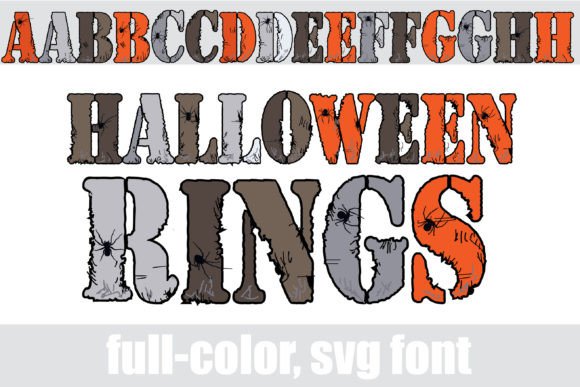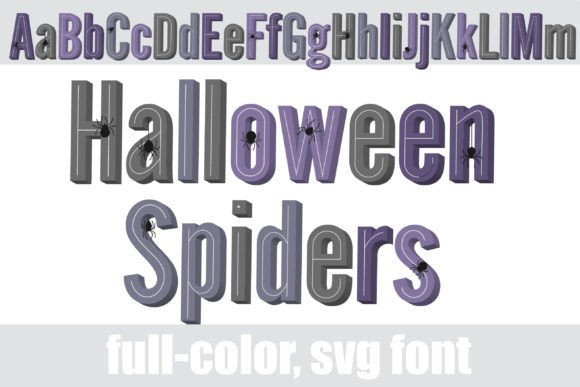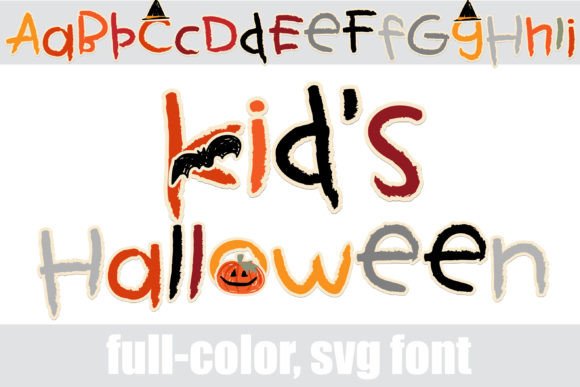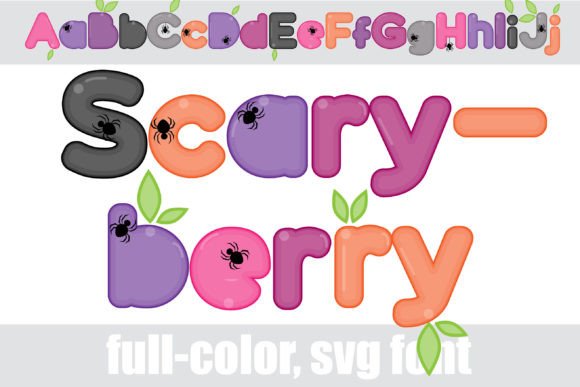
Unleash Spooky Creativity with Schary, the Halloween Display Font
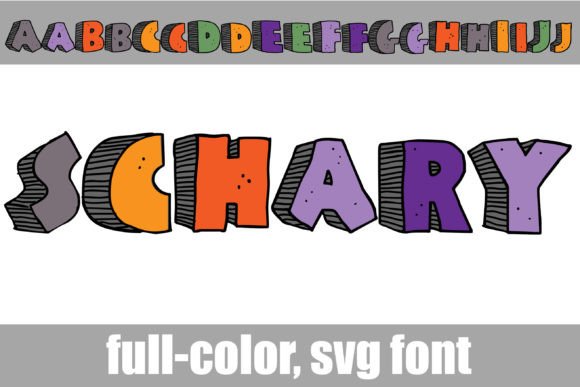
If you’re looking to inject a shot of festive, hand-drawn personality into your next project, Schary is a typeface that demands attention. This isn't just another set of letters; it's a full-color SVG font that brings a whimsical Halloween vibe directly to your canvas. Imagine the texture of hand-doodled lettering, complete with a playful 3D shadow effect and a vibrant, spooky color palette. That is the core of Schary's appeal. It’s designed for moments when you want your typography to feel less like a system font and more like a piece of custom illustration, perfect for grabbing eyeballs and setting a distinct seasonal mood.
Where This Creative Font Truly Shines
The strength of a display font like Schary lies in its ability to dominate a design with character. It’s not built for long paragraphs of body copy; it’s built for impact. Think of the first thing your audience sees. Schary excels in applications where personality and immediate visual recognition are paramount.
- Logo Design & Branding: For a seasonal business, a haunted attraction, a Halloween-themed podcast, or a quirky lifestyle brand, Schary can form the cornerstone of a memorable logo. Its unique texture and color ensure it stands out from generic wordmarks.
- Packaging Design: Imagine this font gracing the wrapper of a special edition candy bar, a craft beer label for a fall brew, or packaging for artisanal candles. It instantly communicates fun, creativity, and a limited-edition feel.
- Marketing & Social Media Graphics: In the fast-scrolling world of social media, stopping power is everything. Use Schary for Instagram story headers, Facebook event banners, or promotional graphics for a fall sale. Its bold presence makes it ideal for headlines and calls-to-action that you want people to actually read.
- Editorial & Publishing: A magazine feature on DIY Halloween costumes, a blog post about spooky recipes, or a chapter title in a themed e-book can all benefit from Schary’s personality. It sets the scene before the reader even dives into the first sentence.
- Personal Projects & Crafting: For hobbyists and crafters, this font is a fantastic design asset. Use it to create custom party invitations, festive wall art, unique greeting cards, or personalized apparel with a cutting machine. It brings a professional, polished look to handmade creations.
Understanding the Practical Side of a Premium Font
While Schary’s visual style is its main draw, understanding its technical aspects is key to using it effectively. As an OpenType full-color (SVG) font, it functions differently from standard fonts you might be used to.
Installation and Compatibility: First, the good news: installing Schary is as simple as installing any other .otf file. On a Mac, you’ll typically use FontBook; on Windows, the Control Panel or a font manager will do the trick. The crucial part is software compatibility. Because it uses SVG technology to embed color and texture, it won’t display its full glory everywhere. In non-compatible programs, it will render as a simple black font. You might also see it as black in font preview windows, even in supporting software. The true test is to type it out on your document canvas. Programs like Adobe Photoshop, Illustrator, InDesign, Silhouette Studio, QuarkXPress, and Inkscape are known to support full-color SVG fonts. This makes it a powerful tool for designers working within these professional ecosystems.
Readability and Visual Hierarchy: The textured, 3D nature of Schary gives it immense character, but this also means context is everything. Its intricate details make it a poor choice for small body text, where it would become a visual jumble. Instead, use it to establish a strong visual hierarchy. Let it be the loud, attention-grabbing headline, and pair it with a clean, simple sans serif font for subheadings and body copy. This contrast not only ensures readability but also makes the display font pop even more by giving it space to breathe. The alternate case with additional colors is a brilliant feature, allowing you to fine-tune the palette to match your specific brand identity or design scheme, ensuring consistency across your project.
Evaluating Fit and Making a Choice: Is Schary the right creative font for your project? Ask yourself a few questions. Does the playful, Halloween-centric personality align with your brand's voice or the project's theme? Is the primary application for headlines, logos, or short, impactful text? If you’re designing a serious corporate report, this is not your font. But if you’re creating a brand identity for a fun, modern, and slightly spooky business, it could be perfect. Always test font pairings before committing. Try combining Schary with a sturdy serif font for a classic feel or a geometric sans serif for a more modern typography look. Review the full character set and alternate colors to see how they can expand your creative options. Finally, ensure the commercial license covers your intended use, whether for a small business, client work, or products for sale. By considering these practical elements, you can confidently choose a typeface that not only looks fantastic but also works hard for your design.
Schary: A Halloween Font That Pops with Personality
You know the feeling when a design needs more than just words—it needs attitude. That's where a typeface like Schary comes in. This isn't your average font file. It's a full-color SVG font, meaning the letters themselves carry vibrant Halloween hues, textured doodle details, and a built-in 3D shadow effect right out of the box. For anyone working on seasonal projects or brands with a playful, spooky edge, Schary offers a unique shortcut to high-impact visuals. It’s a creative font designed to make your headlines, logos, and graphics feel instantly handcrafted and full of energy.
Where Schary's Hand-Doodled Style Works Best
Think of Schary as your go-to display font for projects where you want to capture attention and convey a specific, festive mood. Its personality is bold, fun, and unmistakably Halloween-themed, which makes it ideal for certain applications where that vibe is a perfect fit.
- Logo Design & Brand Identity: For businesses like haunted houses, costume shops, specialty bakeries with seasonal treats, or even a podcast with a spooky theme, Schary can form the core of a memorable logo. Its textured, colorful appearance helps build a brand identity that feels creative and approachable.
- Packaging & Editorial Design: Imagine this font on a limited-edition candy wrapper, a craft brewery's fall seasonal label, or the chapter titles in a fun, themed cookbook. It adds a layer of tactile, illustrated charm that standard fonts can't match, enhancing the unboxing or reading experience.
- Marketing & Social Media Graphics: In a crowded social feed, Schary is a stopper. Use it for Instagram story headers, promotional sale graphics for "Spooky Season," or event flyers. Its built-in color and depth make graphics pop without needing complex layering in your design software.
- Crafting & Personal Projects: This is where hobbyists and crafters can really shine. Use Schary to create standout vinyl decals for T-shirts or mugs, design unique party invitations, or make custom wall art for Halloween. It brings a professional, illustrative quality to DIY projects.
Practical Tips for Using This Colorful Typeface
Using a premium font like Schary effectively means understanding its strengths and its technical quirks. It’s not a set-it-and-forget-it serif font for body copy; it’s a specialized tool in your design assets kit.
Installation and Compatibility: First, the practical side. You install Schary just like any other OpenType font—through FontBook on a Mac or your system's font manager on Windows. However, the "full-color" magic only appears in compatible software. In programs like Adobe Photoshop, Illustrator, InDesign, Silhouette Studio, Quark, and Inkscape, you'll see the vibrant colors and textures as you type. In unsupported programs, it will revert to a solid black silhouette. A quick test: type a few letters in your chosen software. If they appear in color on the canvas, you're good to go.
Readability and Pairing: Because of its detailed, textured nature, Schary is best used for headlines, logos, and short bursts of text. For body copy, pair it with a clean, simple sans serif font or a neutral serif font. This contrast creates a clear visual hierarchy: the bold, colorful display font grabs attention, while the simpler font ensures longer text remains easy to read. The included alternate case with additional colors is a fantastic feature for fine-tuning your palette to match specific brand guidelines or design themes.
Evaluating if It's the Right Fit: